
TagRanger®
How to perform Hybrid Ranging
Hybrid Ranging is very similar to VHF ping searching in other systems. It uses a signal strength measurement in combination with a faster ping rate (typically every 4 seconds) to provide a measure of proximity to the tag.
By moving in a direction such that the RSSI value increases, the user can navigate their way towards a tag from a greater starting distance (up to 2 km) than with UWB ranging. Once the RSSI reaches a pre-defined configurable threshold, the system automatically instructs the tag to start UWB ranging, in order to complete the journey to the tag.
When performing Hybrid Ranging try to do it from a high vantage point to maximise the operating range. During the process hold the Finder vertical and away from your body, keeping your hands away from the antenna.
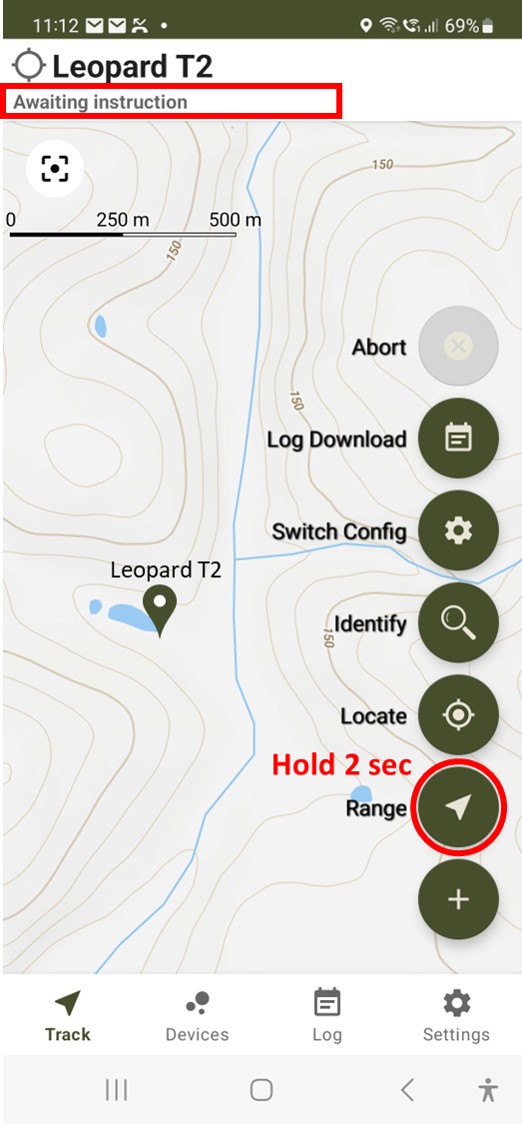
Make sure the Tag you want to Find is selected, with 'Awaiting Instruction' shown below the Tag name. Expand the Menu then press and hold the 'Range' button for 2 seconds.
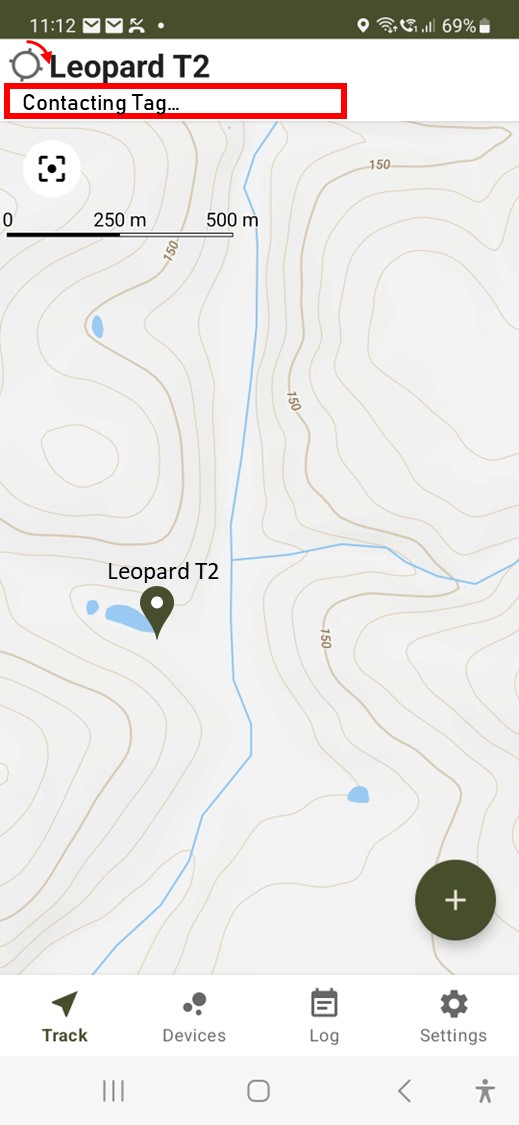
The activity indicator starts spinning and "Contacting Tag..." is shown below the Tag name.
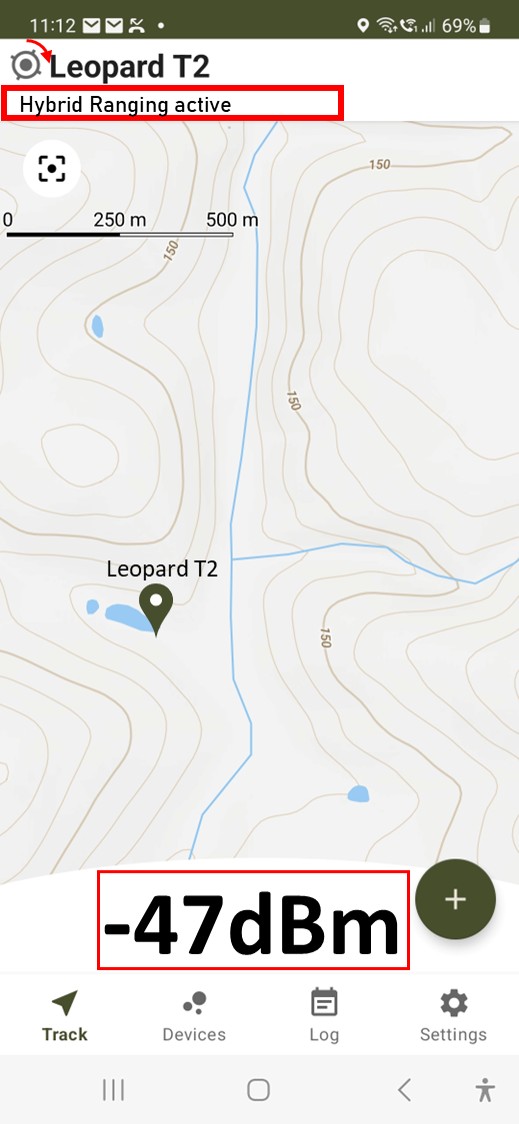
The activity indicator shows a black dot to confirm the Tag has woken up and "Hybrid Ranging active" is shown below the Tag name. The received signal strength is shown at the bottom of the screen.
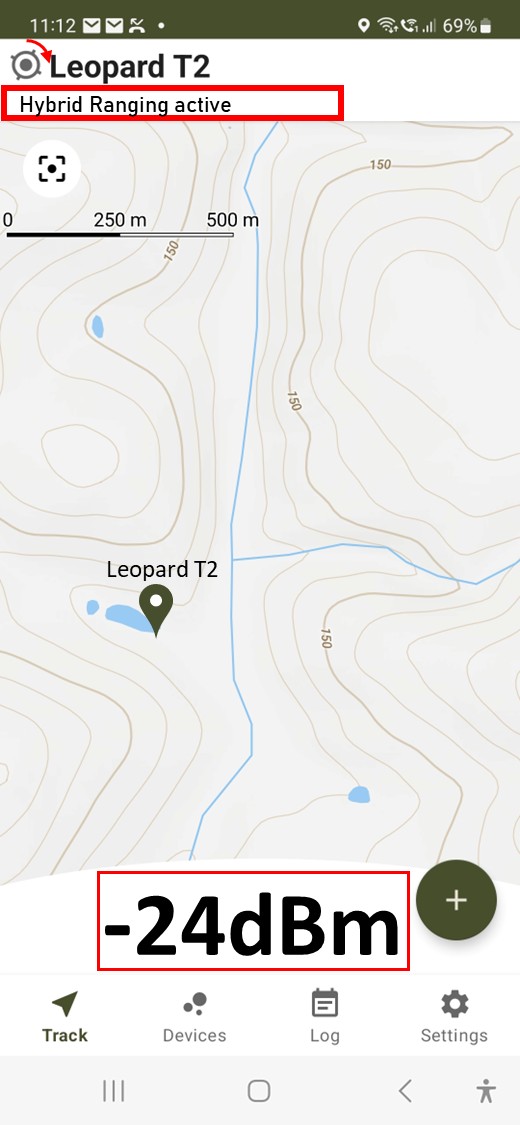
As you get closer, the signal strength gets higher (more positive). If the system has been configured with an RSSI threshold (see note 4 below) then when you are close enough the system will automatically switch to UWB Ranging (See the Find page for details).
Notes:
- If the Tag is out of range the "Contacting Tag..." phase will abort after about 20 seconds, the activity indicator will stop spinning and you will get a message saying "No response from fast ping request".
- Due to the way the Tag wakeup works, it can take between 16 to 30 seconds for a message to the Tag to be confirmed depending on your setting for LoRa Wakeup Period.
- LoRaWAN limits the number of transmissions that may be made per hour depending on the Spreading Factor (SFnn) setting. With SF7, as typically used for fast pings, there is a limit of around 672 messages per hour. When transmitting fast pings at a rate of every 4 seconds, the air time would exhaust after about 45 minutes.
- Under Settings -> Hybrid Ranging Settings -> Hybrid ranging switch to UWB RSSI threshold, the user may set an RSSI threshold at which the application will automatically request UWB ranging to commence once the RSSI reaches that threshold. Otherwise, the user may manually switch to UWB ranging by performing a short press on the "Range" button while Hybrid Ranging is active.
- While performing Hybrid Ranging with a Tag the Finder is unable to receive regular pings from other Tags owing to the fact that the DR (data rate) is, typically, dynamically changed to SF7 on both the Finder and Tag. Once a Hybrid Ranging session is completed, the system returns to the nominal DR configured on the Finder, typically SF12 and it is then possible to receive regular pings once more.
- During Hybrid Ranging if communications are not possible for a period of 30 seconds between the Finder and Tag then the link shall "timeout" and the original DR shall be restored.